This procedure is only applicable if you are running a version prior to 5.4. If you are on a later release, please see How to send out Annual Statements (bulk)
In order to use the Annual Statements, you need to setup a Remote Site setting that Payments2Us to mass generate the Annual Statement PDF documents.
Quick Steps:
- Copy the salesforce.com domain from the URL
- Add a new Remote Site setting for the salesforce domain
1. Copy the Salesforce URL from any screen

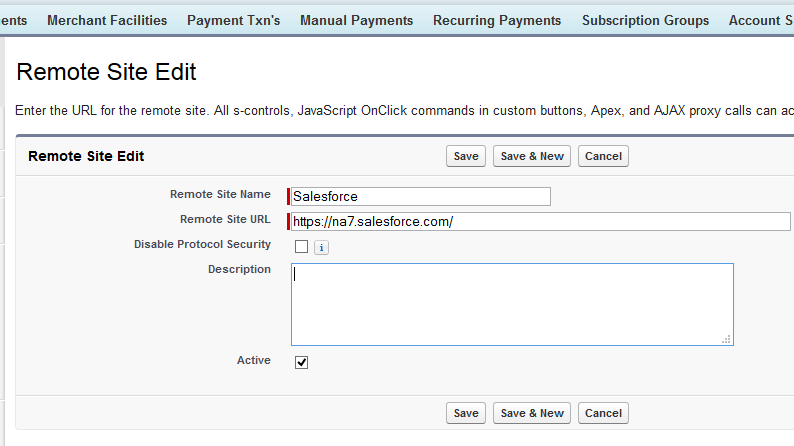
Add a new Remote Site.
Enter a name “Salesforce”, then paste the URL from step 1 into the Remote Site URL, select active and Save.