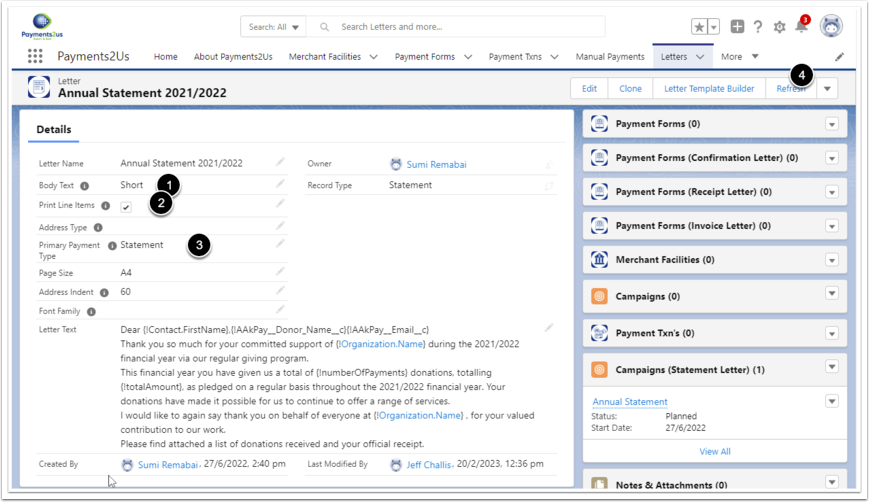
On the Letter being used for Annual Statements, make sure the following are set:
- Set "Body Text" to "Short". This is needed so the text part does not take up all of the page and leaves room for the line items
- set "Print Line Items" to Checked. This is needed so the table of Payment Txn (payments/donations during the year)
- set "Primary Payment Type" to "Statement"
Now, press the "Refresh" Button (4).
Alternatively press the "Letter Builder" button (or your instance may have "Letter Builder [Beta]"), then press “Refresh” button.